Contact Filter
Transforming Contact Filtering from Complex to Intuitive
At Bassline, we help venues manage their contacts. Their marketing team needed a way to segment their 12,000+ contact database for targeted campaigns — but the existing tool was built for developers, not marketers.
Problem
How can we make it easier for marketers to use the contact filtering system?
Outcome
I built a contact filtering system using drag-and-drop interaction.
Role
Product Designer &
Full Stack Developer
Timeline
4 Weeks

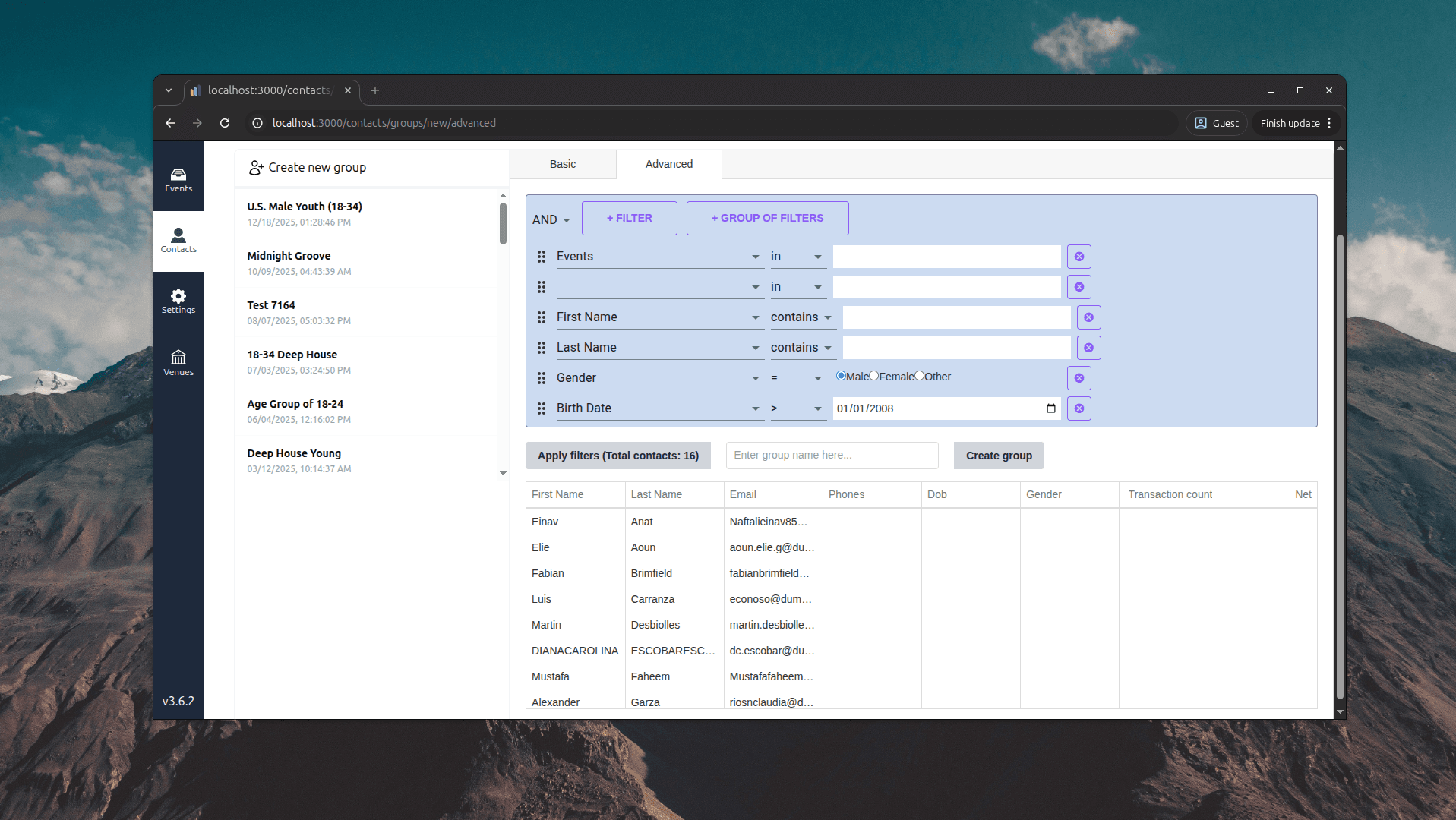
Database operatorsmake filtering hard
The original system used a technical query builder that required users to understand database operators like “contains,” “in,” and comparison symbols — specifically SQL-like operators. It made the filtering process complex.
User researchresults & findings
I studied how 12 members of the marketing team actually tried to use the existing tool, and identified their pain points. Here are the results:
- 92%
of respondents do not have technical knowledge of SQL-like operators.
Many participants said they don’t have any technical knowledge of SQL. One person said, “Most embarrassing thing is I cannot simply understand the difference between ‘in’ and ‘contain’”.
- 75%
of respondents were confused by the interface and its multiple dropdowns.
When I carried out the screen-share session, most of the people were struggling with selections across multiple dropdowns. The most popular question was “Why are there so many rows and dropdowns?”
- 67%
of respondents prefer some visual feedback on search results.
The primary goal of contact filtering is to get a quick grouping for campaigns, and most of the participants said they needed visual feedback on the percentage of contacts selected.
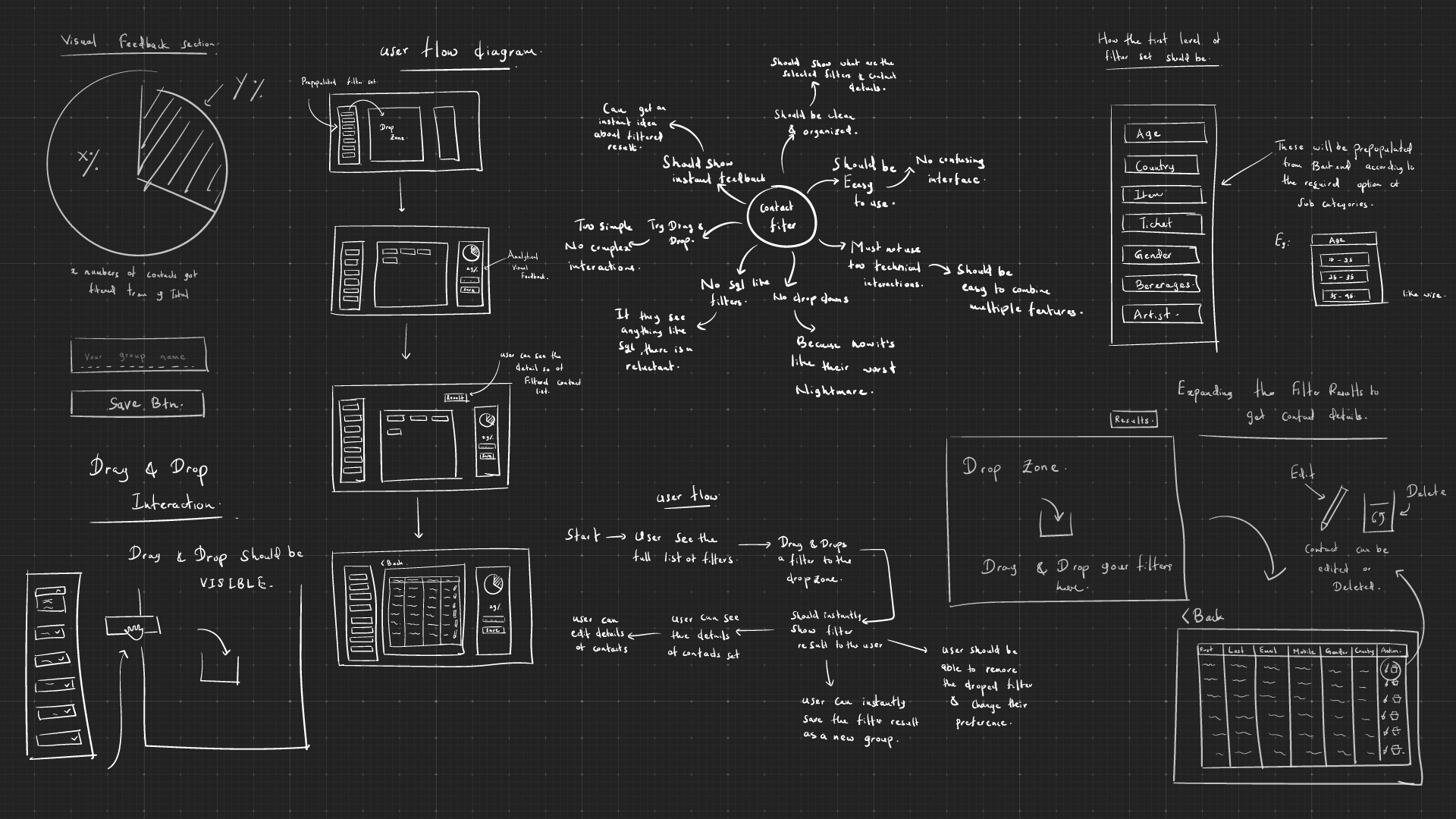
Low-fi sketchesand ideas
I explored possible solutions and interaction patterns through conceptual work. I used sketching to clarify concepts and map the intended interaction mechanics.
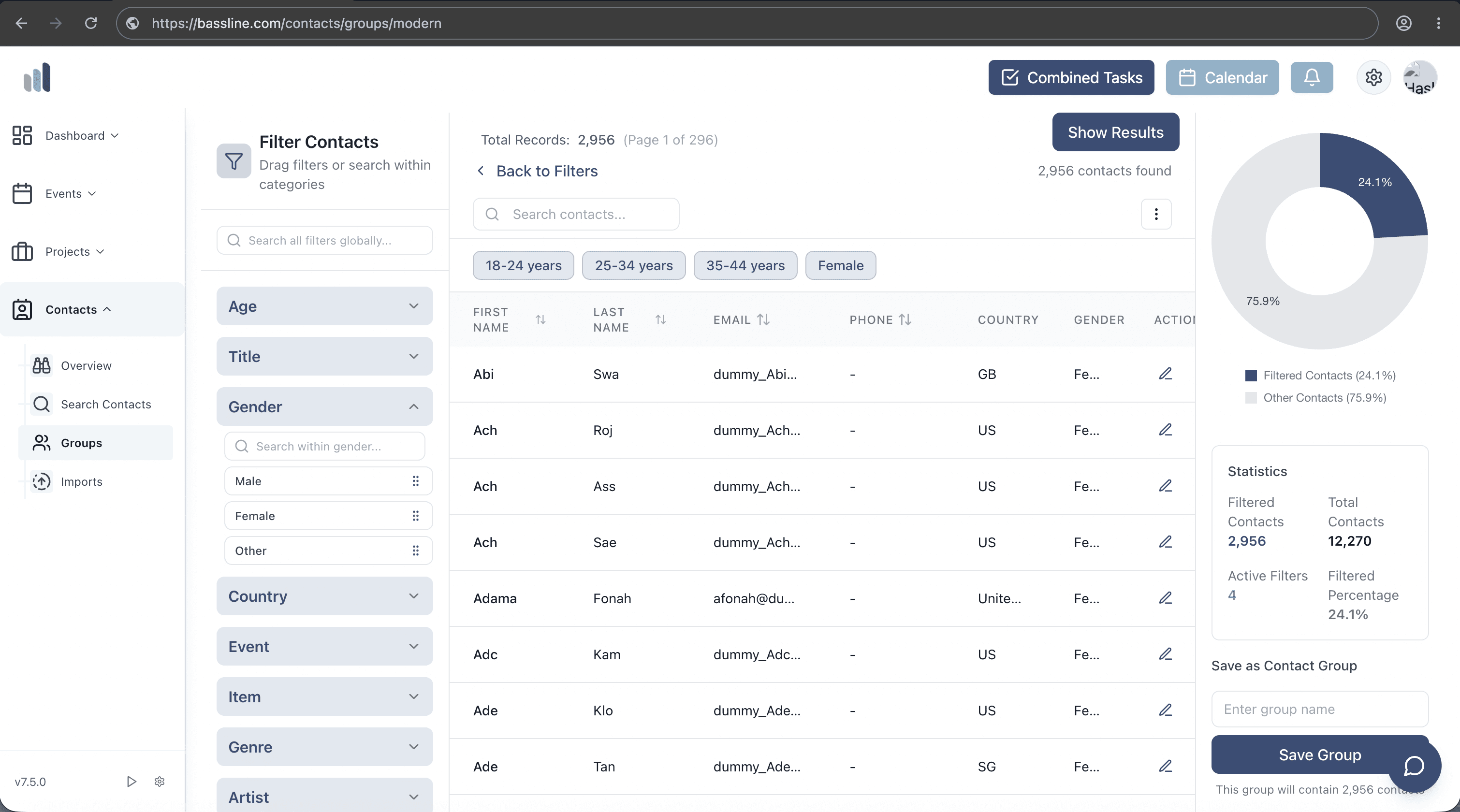
The solution:an interactive drag-and-drop contact filter
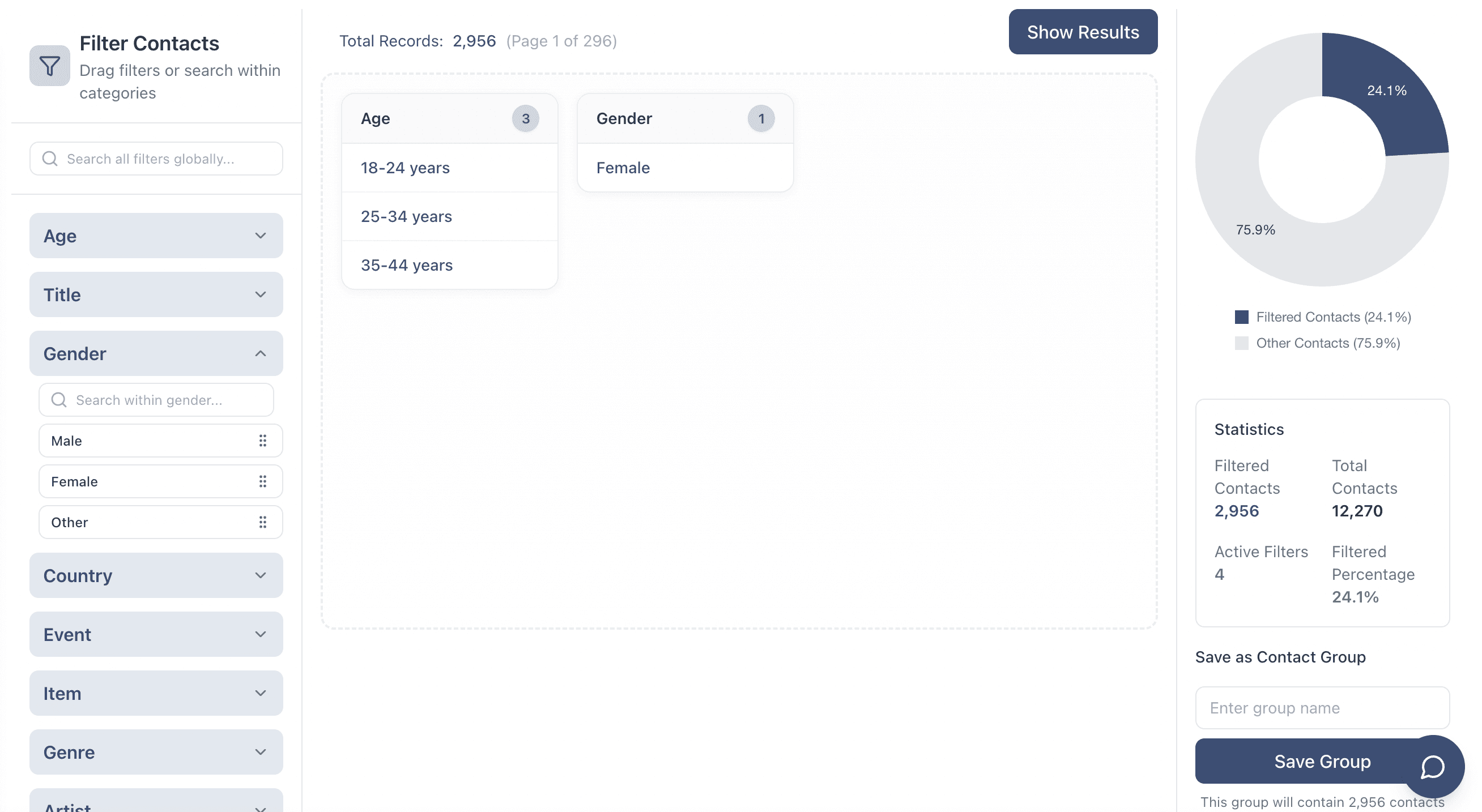
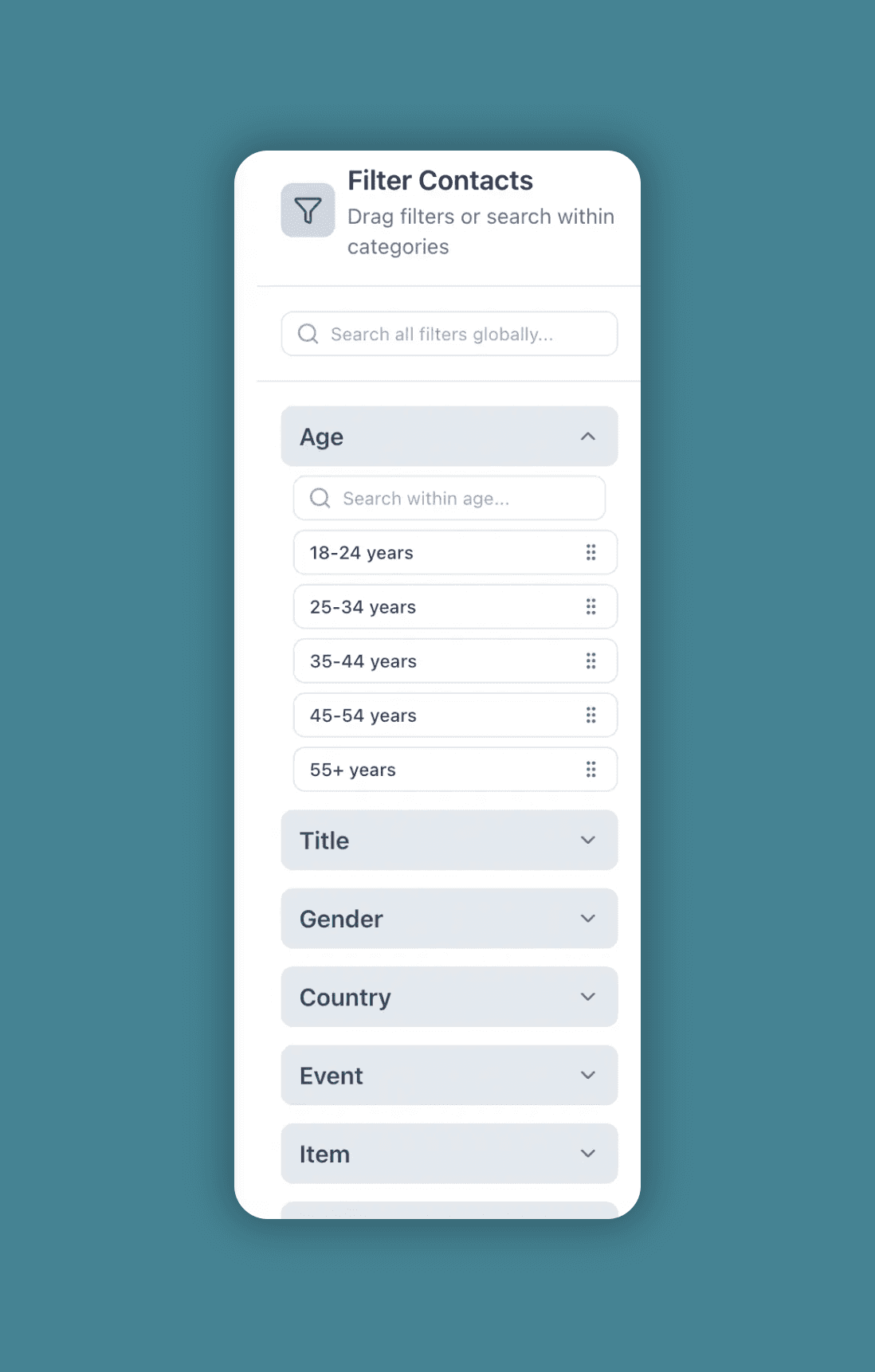
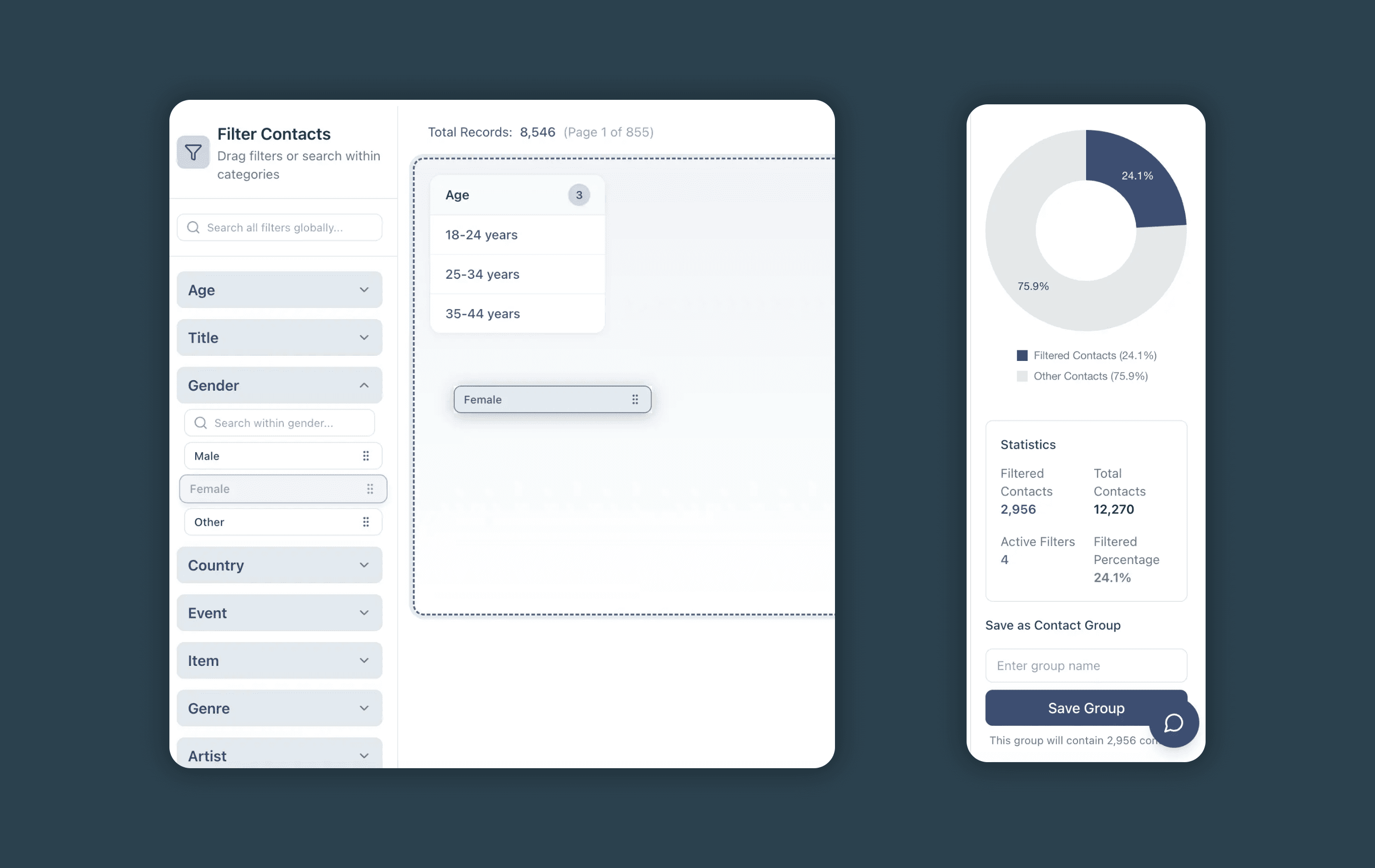
I designed and built a completely new filtering system focused on simplicity — using drag-and-drop interactions and real-time visual feedback.
What’s happeningunder the hood
I coded the backend using Express and MySQL, and used Prisma as the ORM. But I had to drop to raw SQL where Prisma couldn’t handle complex queries.
Interface
Collapsible category panels, drag-and-drop onto the drop zone, filter chips with per-category counts, and the live donut. React with react-dnd.
Express route handlers
A GET handler builds the initial page; a POST handler serves every filter change. Between them, they authenticate the user, scope every query to the venue, check the permission, parse the filter payload, orchestrate the round trip and compute the statistics the panel renders.
Query builder
Maps friendly filter names to database fields, decides whether a filter is a lookup or a computed aggregate, and assembles the conditions.
MySQL via Prisma
Prisma for type-safe lookups; raw SQL where the aggregation is beyond what the ORM expresses well.
Mechanism betweenfilter drop and result count
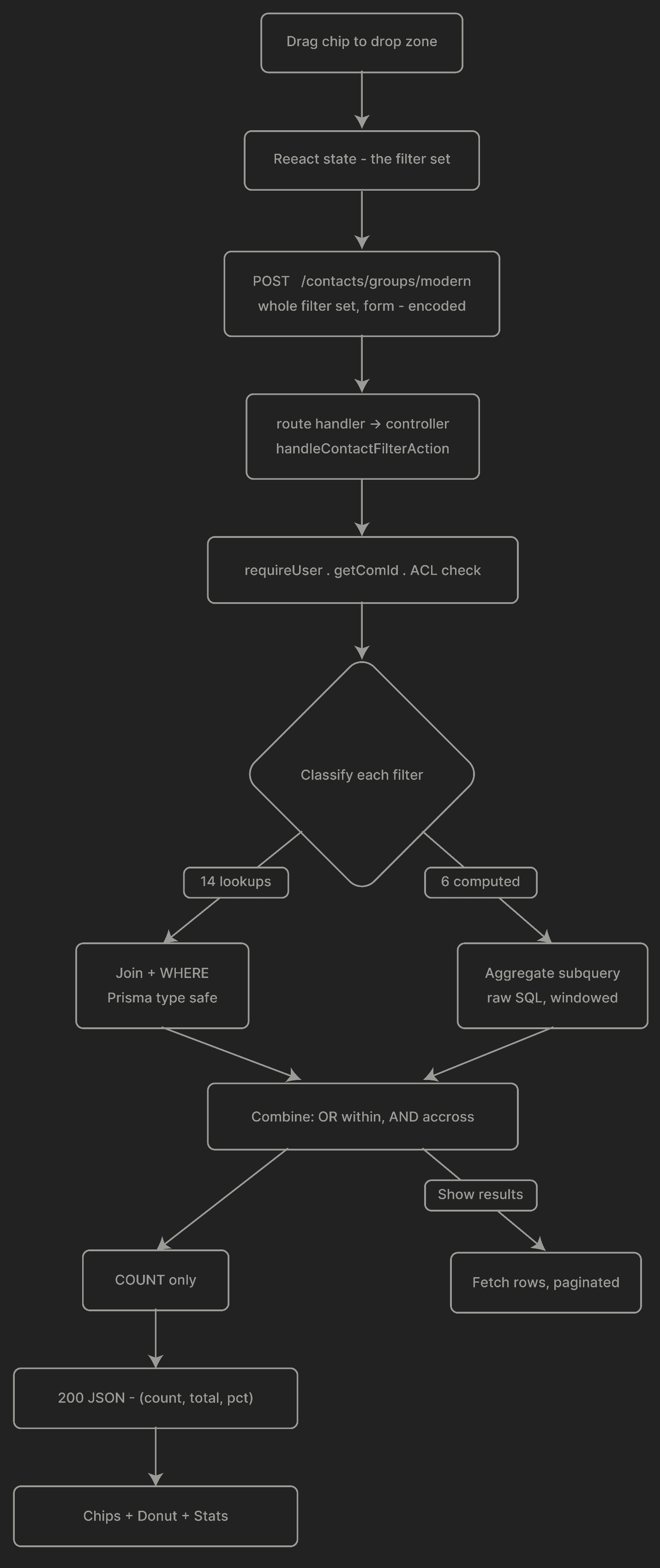
- 1.
The chip lands
The interface adds the selection to its filter state and submits the whole set — not a delta, so the server never has to reconstruct history.
- 2.
The server checks the permission
User, venue and permission are resolved before any filter is read. A filter can never reach data belonging to another business.
- 3.
Each filter is classified
Lookup or computed. Lookups become join conditions; computed filters become aggregate subqueries with their own time windows.
- 4.
Conditions are combined
Within a category the values are alternatives; across categories they narrow.
- 5.
Counts come back, not rows
The panel needs a number and a percentage, so the first response is a count. The contact rows are only fetched when someone asks to see them.
Keeping itfast
The main thing I focused on in this feature was quick responsiveness. So I designed the UI and the architecture to show quick feedback. The turning point was the decision to show the number of contacts before showing the contact list.
Count before rows
The expensive part of showing the result is returning it. The builder separates counting from fetching, so the number that updates on every change is the cheap query, and the result set is only built on request.
Duplicate filters rejected
Dropping the same filter twice is caught rather than silently doubling a join.
Raw SQL where required
Prisma handles the lookups and keeps them type-safe. A few computed filters drop to raw SQL, because expressing a windowed aggregate through the ORM would have cost both clarity and speed.
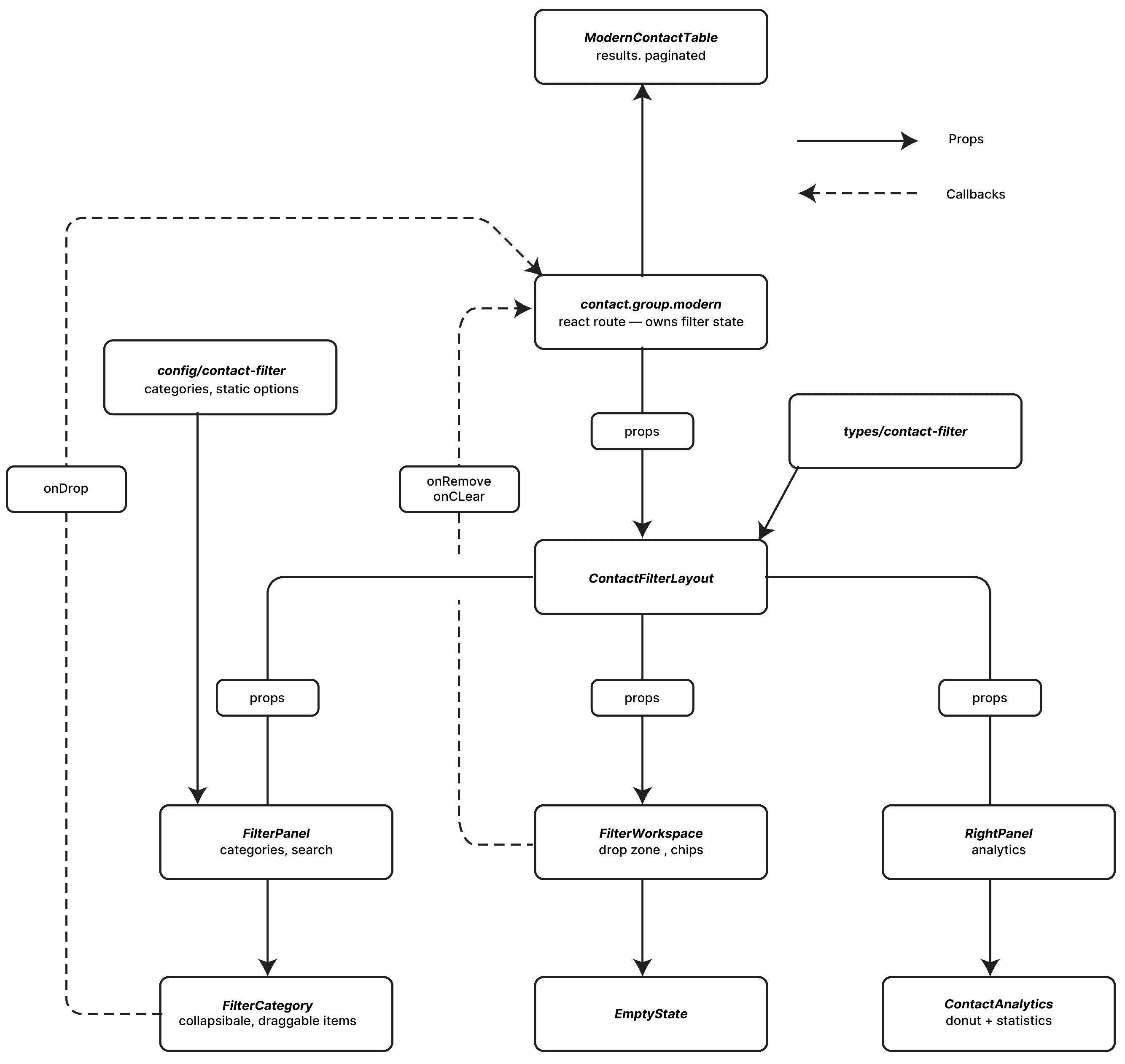
Componentrelationship
Ordinary React: one stateful container, presentational panes below it. The route owns the filter set — solid arrows are props going down, and dashed arrows are callbacks coming back up.
Data flowfrom drop to count
One request, with a fork in the middle. Every chip change POSTs the whole filter set; the controller authenticates and scopes it, then decides per filter whether it is a join or an aggregate before any SQL is assembled.
Layeredarchitecture
Nothing imports upward and nothing cycles, so the filter panel renders itself from a config array — a new chip is one config entry. In the back end the same chip gets hand wired in four more places.
