Left Navigation
Rebuilding an Icon Rail into a Collapsible, Access-Aware Left Navigation
Bassline is an admin platform that venues, hospitality groups and event teams run their operations on — events, spaces, contacts, projects, financials. Every one of those modules is reached through the left navigation, so when it’s cramped, the whole product feels cramped.
Problem
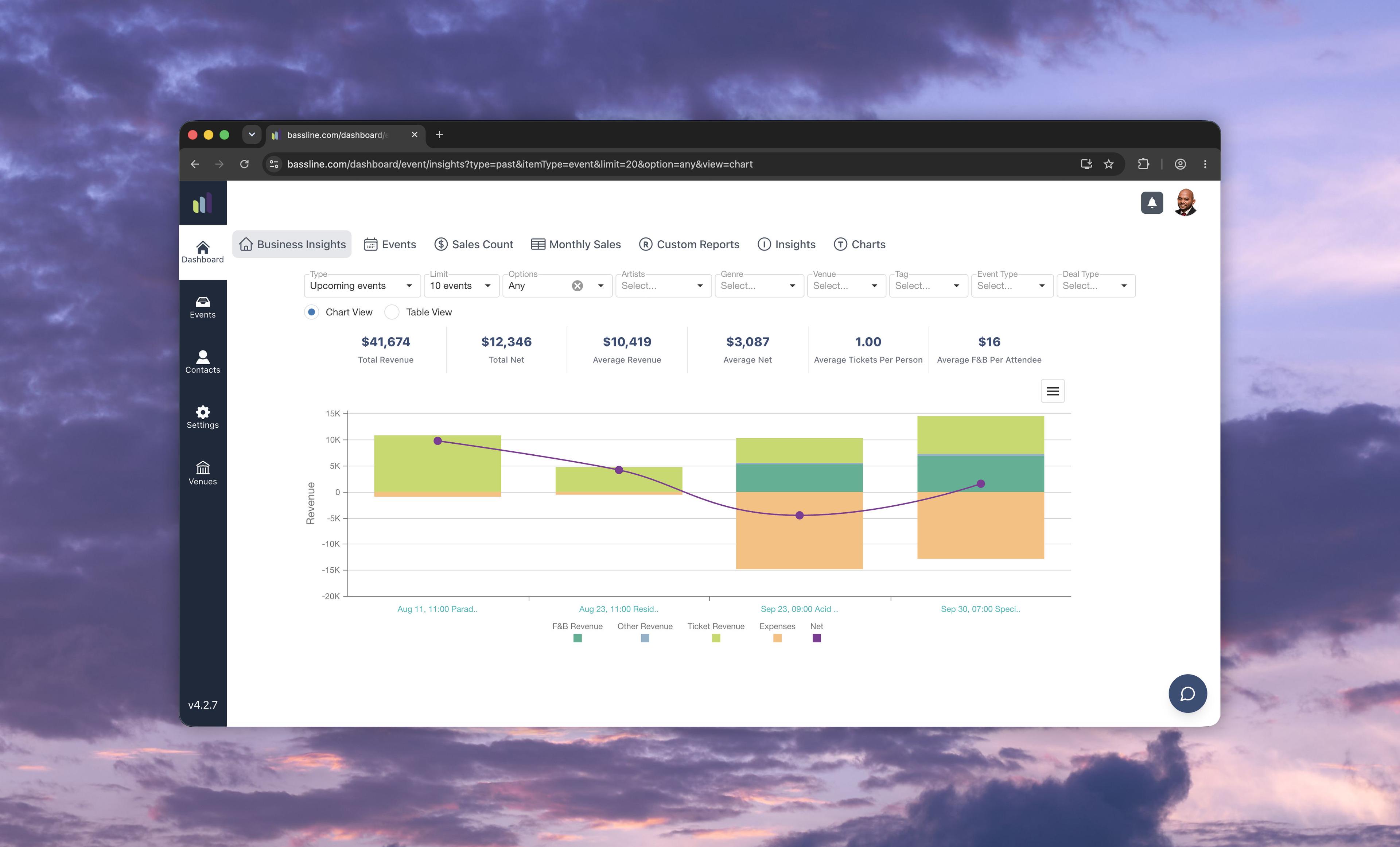
The original navigation was a fixed dark rail of icons with small labels. Nothing expanded, nothing pinned, and the rail didn’t reflect where you actually were in the app.
Outcome
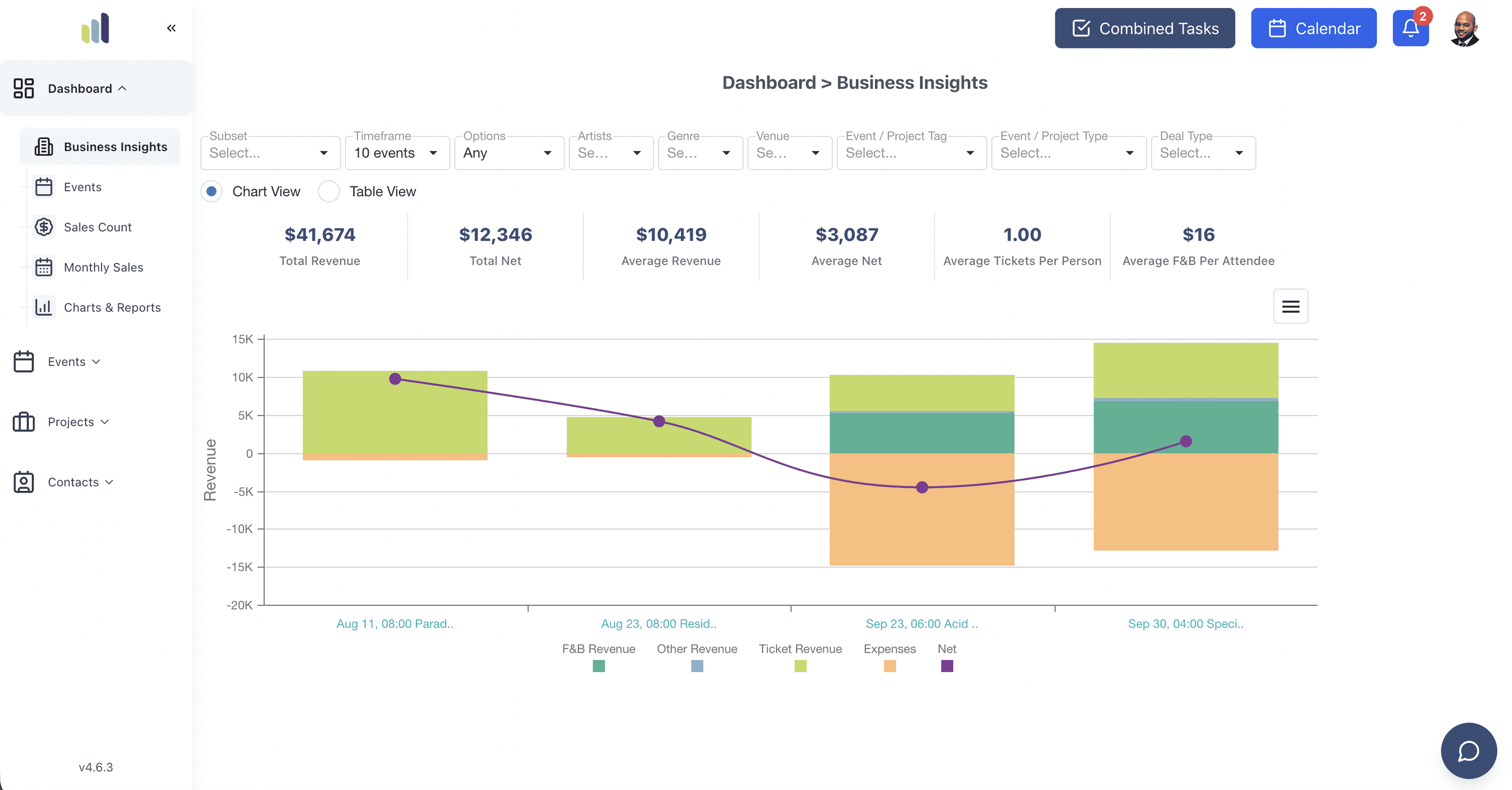
I built a fully dynamic, route-remembering, access-aware, widen-on-hover left navigation bar.
Role
Product Designer &
Developer
Timeline
1 Week
One rail,doing too little
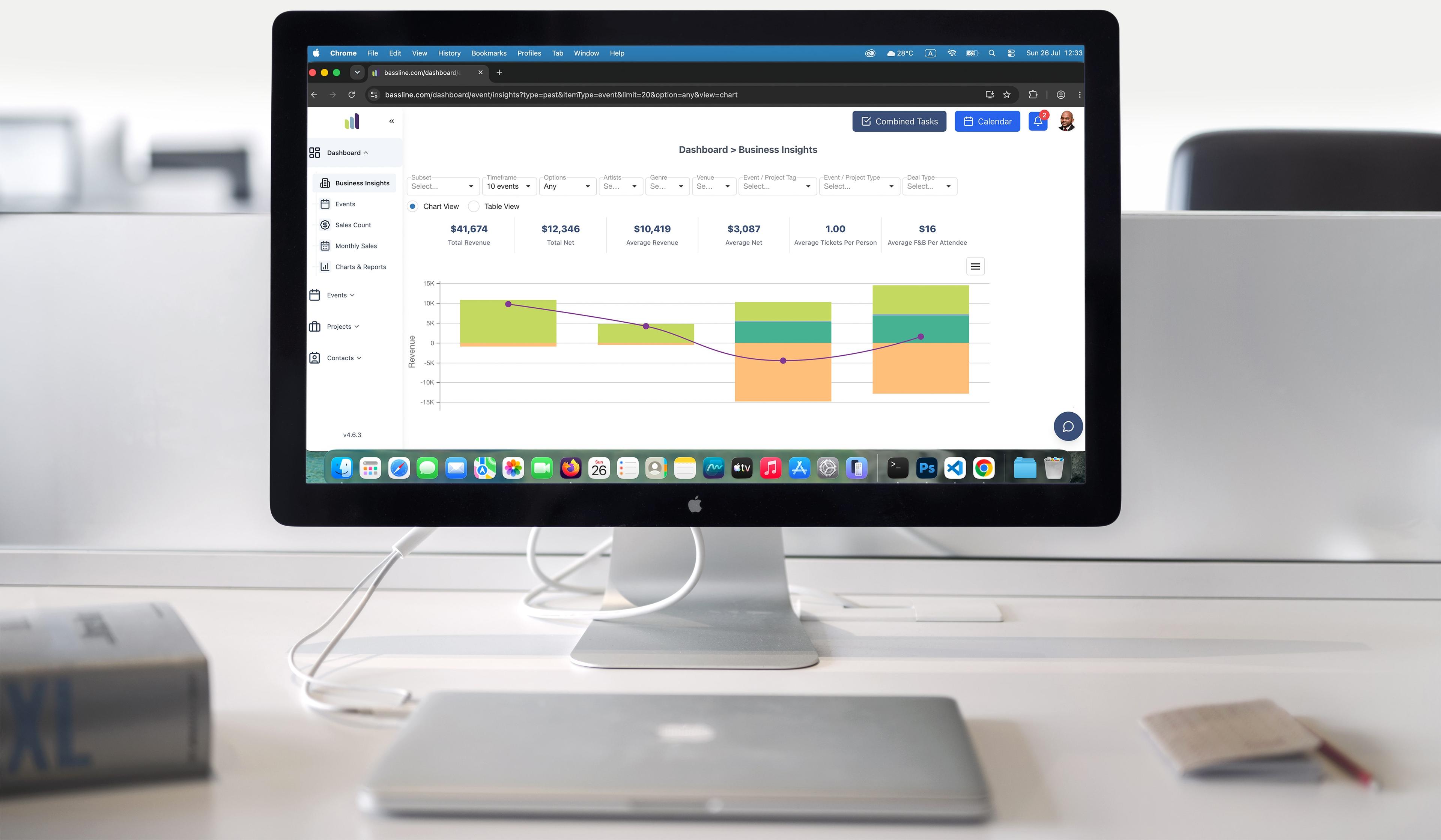
The original navigation was a fixed dark rail of icons with small labels. Top-level only — the dashboard’s sub-pages were pushed into a horizontal strip across the top, so wayfinding was split between two places. Nothing expanded, nothing pinned, and the rail didn’t reflect where you actually were in the app.
The solution:one component, six jobs
Hover to expand, click to pin
Collapsed to an icon rail by default; it widens on hover and locks open when you pin it, so the nav gets out of the way until you want it.
A real submenu tree
The dashboard’s seven insight views moved out of the top strip into a connected tree inside the nav, with a clear active state.
Compact ↔ full
A single environment switch flips the whole product between a lean icon rail and the labelled full navigation — same component, no fork.
Access-aware menus
Every item is gated on the signed-in user’s permissions, so people only ever see the sections their role can actually open.
Remembers where you are
The nav reads the current route and keeps the right section open and highlighted as you move around the app.
Calm by default
Rounded framing, quieter dividers and a restrained active colour so the nav frames the content instead of competing with it.
Expandable,submenu tree
The navigation now stays out of the way until you reach for it, surfaces only what you can use, and keeps its place as you move between modules.